
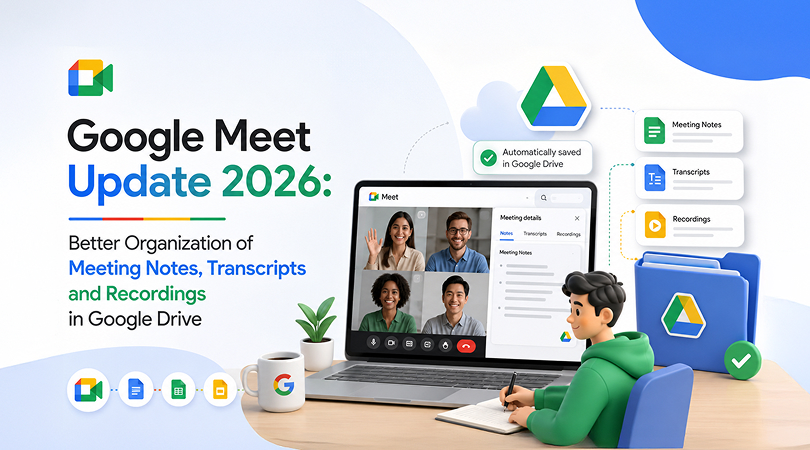
Google Meet has decided to make a change that will benefit many businesses by making it easier to manage meeting files. The latest update will help users organise recordings, transcripts, and notes in an orderly manner in their Google Drive. Instead of having files organised together without organisation, Google Meet will help create a Google Meet Drive folder and sort the files into different folders.
This new Google Meet update can help employees spend less time searching for important meeting information after a call. The update is one of the New Google Meet features Workspace has introduced, adding to the platform’s growing set of tools for better online meetings.
What Is New in the Latest Google Meet Update?
The new update changes where Google Meet saves files from your meetings in Google Drive. After a meeting, eligible meeting notes, transcripts, and recordings are automatically organised in a new “Google Meet” folder in the host’s My Drive.
Within the folder, Meet also creates subfolders for individual sessions and stores their recordings, transcripts, and meeting notes (if they have been turned on).
For regular sessions,different sessions can use the same meeting folder. Employees don’t have to go through multiple folders to find each session of an ongoing meeting. Attendees who have access to the meeting files will be able to see shortcuts to those files in Google Meet Drive folders.
How Google Meet Files are Now Arranged in Google Drive
Google Meet Folder
The big change is that there is a folder in the host’s My Drive. This folder contains all the new files from the session rather than leaving meeting files unorganised by meeting.
Now employees can easily find the records from the session. The Google Meet folder keeps all files in one central location. This makes the recordings’ location easier to understand and reduces confusion about where files are stored.
Meeting-Specific Subfolders
Each meeting gets its own subfolder inside the Google Meet folder. Meeting recordings, transcripts, and notes related to that Google meeting can be organised together.
For recurring meetings, multiple meetings are organised in the same folder This could include weekly sessions such as team, project, client, and management.
Users who need access can also be given shortcuts to source files within their own Google Meet folders, thus giving them easier access to these shared resources without having to rely on shared copies.
What happens to meeting recordings during changes?
Google Meet is also seeing the central location of the existing Recordings folder changed. It has been placed inside the new folder, renamed Legacy Meet Recordings.
Meanwhile, your old files do not disappear. The previous session content stays in the legacy folder, whereas new sessions already use the new meeting-specific folder structure.
As a result, during the update, you might see both the old recordings folder and the new Google Meet folder in your drive.
What files are included in the Google Meet folder?
The files included in the folders depend on the features used to create or edit the session.
| File Type | Purpose | New Organization |
| Meeting recordings | Video/audio recording of the meeting
|
Meeting a Particular Subfolder |
| Google Meet Notes | Stores a text record of the meeting conversation | Meeting a Particular Subfolder |
| Google Meet meeting notes | Stores generated meeting notes and key information | Meeting a Particular subfolder |
| Past meeting files | Keeps past meeting content available | Legacy Meet Recordings |
Meeting notes and transcripts are saved in the organiser’s Drive under the Meet folder and meeting-specific subfolders.
What’s New in Google Meet 2026: Key Advantages for Businesses
In case of frequent Google Meet calls for record-keeping purposes, the group of information may become challenging to organise for companies. The new folder system will help in organising similar data together, which can support the benefits of Google Workspace for businesses that rely on collaboration and shared files.
Access to Meeting Notes Would Be Easier for Users
For example, when searching for information on past meetings, one would not have to go through lots of Drive files searching for notes. One would rather have a particular place to store information on each meeting. This is especially useful for sessions where there were presentations and decisions to be approved.
Less Time to Retrieve Necessary Files
It can be challenging to find Google Meet recordings in Google Drive if one uses the platform often. The new folder system would make organising recordings easier. In particular, the files would be placed in a folder with other similar files. Therefore, one would not have to rummage through unrelated Drive files searching for a specific recording.
Better Organisation for Teams
Folders can help teams maintain an organised record of their discussions. Project teams can easily check previous sessions, while managers can find notes and recordings from regular business reviews. This can also support employees who were unable to attend a meeting and need to understand what was discussed.
Post-Meeting Follow-Up Made Easy
Google Meet meeting notes and transcripts can be helpful after a meeting. Employees can check discussions, identify important points, and use the available information when completing follow-up tasks. Organising all the files together with the meeting recording can make the post-meeting process simpler.
Better Record Management
A structured drive system also makes meeting records easier to manage over time. Teams can identify current meeting files and separate them from older content stored under Legacy Meet Recordings. This can help organisations maintain a more consistent approach to documentation.
How This Update Changes the Google Meet and Google Drive Experience
The main difference is how meeting files are organised, as shown below:
|
Before the Update |
After the Update |
| Files were uploaded to the host’s My Drive without being organised by meeting. | Files are organised under a Google Meet folder |
| Meeting files were stored in the host’s My Drive without meeting-specific organization. | New files use meeting-specific subfolders |
| Related files could require separate searches | Files are organised together |
| Files were primarily available through the host’s Drive | Participants with access can see shortcuts to source files |
| The old Meet Recordings folder remained separate | It was moved and renamed Legacy Meet Recordings |
| Recurring meeting files were not organised in this structure | Recurring meetings can use the same meeting folder |
Google says that earlier, meeting files were saved in the host’s My Drive, but they were not organised into separate sessions. The new structure makes files easier to find.
Who Will Get the New Google Meet File Organisation?
The update is available to all Google Workspace customers. Google released the update for rapid release domains on July 22, 2026, and for scheduled release domains on July 30, 2026.
Organisations that use eligible Workspace accounts can get the new file without having to manually create the folders.
Google Workspace admins should pay attention to existing structures that depend on the past Meet Recordings folder, especially as Google Workspace continues to introduce new updates and features.
What Do Google Workspace Admins Need to Know?
Google recommends that administrators check any tools or automatic processes that use the past meeting folder. Since the existing folder is being moved and renamed, these tools may need to be checked or updated.
Admins should also make sure employees understand the new folder structure. A brief internal communication guide can help the users understand where they can find the recordings, transcripts, and meeting notes after the update.
Companies should also consider the usage of Drive storage and file-sharing options if the employees record the sessions and create numerous meeting-related documents. Google notes that the Meet recordings are saved in the organiser’s Drive and require the exact storage space.
Conclusion
The Google Meet Update 2026 updated file management by organising recordings, transcripts, and notes into a Meet folder in Google Drive. This folder has subfolders for each meeting so employees can easily use and manage records from their sessions.
Google Workspace is updated and has added a lot of new features in Google Meet and Drive. Now, businesses can use Google Meet and Drive to complete their work more quickly.
Gworkspace helps businesses make better use of Google Workspace solutions with the right licensing, setup, and support. As an authorised Google Workspace reseller, it can help organisations choose and manage the right Google Workspace plans for their business needs.