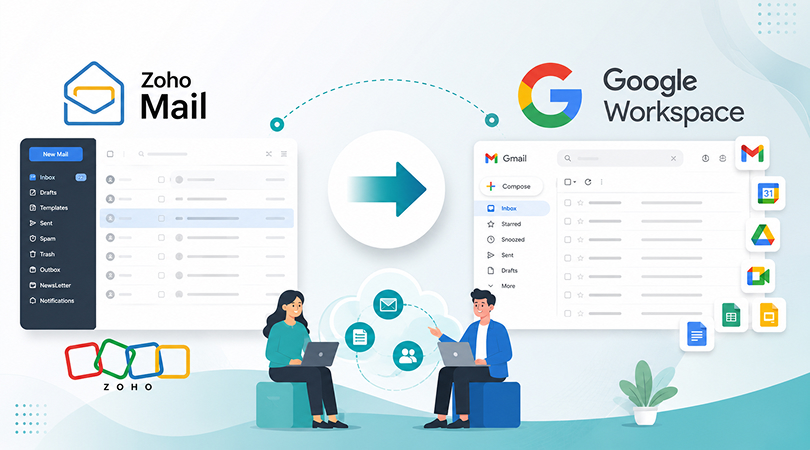
If your team has outgrown Zoho Mail and you are planning to switch to Google Workspace (Gmail), Over the last few years, we have helped businesses move from Zoho Mail to Google Workspace while protecting emails, contacts, calendars, and business continuity. and they all ask the same three questions: cost, security, and whether to DIY or hire an expert. In this guide, we’ll take you through everything without any technical jargon, no unnecessary fluff. You may need to migrate from Zoho Mail on your own, or you might want to know what the Google Workspace migration process is, before hiring an expert; either way, you’ll find all the answers here.
Why Businesses Migrate Email from Zoho Mail to Gmail / Google Workspace
Zoho Mail is a great option for small teams and startups. But as a business grows, some of these things become clear, such as having less storage space, fewer third-party integrations, fewer built-in collaboration tools, etc.
Let’s take a look at the reasons for business email migration from Zoho Mail to Gmail:
Better Collaboration – Google Docs, Sheets, Meet and Drive are all integrated, eliminating the need to coordinate with multiple different tools.
More reliable – Google workspace infrastructure can handle high-volume email traffic and large mailboxes. Unlike lower-tier plans in Zoho, you will not have to worry about bandwidth restrictions.
Better Integrations – Most CRM, HR and sales tools integrate better with Gmail, making daily workflows and productivity better.
A professional brand image – use Gmail business email addresses which are more familiar and trustworthy to clients and partners, making B2B communication and business deals more positive.
Zoho Mail remains a reliable email platform, especially for small businesses.; it is a very reliable one and is used by small businesses. When your business is growing fast, and you want better integrations, scalability and collaboration, Google Workspace is usually the better long-term option.
Before You Begin: Pre-Migration Checklist
Rushing into migration can be a major mistake. It often leads to data loss or email downtime. Therefore, be sure to complete these basic steps before starting the migration:
Enable IMAP access in Zoho Mail – IMAP should be enabled in Zoho Mail for manual as well as automated migration.
Create an App-specific password – If the Zoho account has Two-Factor Authentication (2FA) enabled, you will need to create a password for the app that you are migrating to.
Verify your domain and create user accounts in Google Workspace – Do not change MX records at this time; this will be handled after migration.
Always back up your existing mailbox – It’s always a good idea to back up your existing mailbox for safety.
Check mailbox sizes – This gives you an idea of how long the migration might take.
These are the most common reasons for problems when you are migrating from Zoho Mail to Google Workspace.
Methods to Migrate Zoho Mail to Google Workspace
There are three ways to migrate from Zoho Mail to Google Workspace. This will depend on the size of your team and the technical expertise you have.
1. Manual IMAP Migration
This approach involves transferring emails by configuring Zoho Mail and Gmail to communicate with each other using IMAP. This approach is suitable for single-user or small mailboxes, but if you have 20–50 mailboxes to migrate, it can be slow and tedious.
2. Google Workspace Built-in Migration Tool
Google Workspace’s in-built Data Migration Service imports the emails from Zoho Mail using the IMAP protocol. More reliable than the manual method for bulk migrations. However, successful migration depends on correctly configuring settings on both Zoho and Google Workspace. Misconfiguration can result in lost emails, missing folders, or duplicate data.
3. Migration Through a Google Workspace Reseller
This is the most popular choice for most successful companies. Tasks like Domain verification, User account creation, IMAP configuration and the entire email migration without data loss are handled by a Google Workspace Reseller in India or migration expert.
How to Migrate Zoho Mail to Google Workspace (Step-by-Step)
This way, your internal team doesn’t have to spend time on technicalities, and the migration will go smoothly. This method works best when you need to move multiple departments or a large number of mailboxes without risking data loss or downtime.
Step 1 : To manually move your Zoho Mail to Google Workspace, follow these steps:
Step 2: Log in to Zoho Mail, click on Settings, and then on Email Forwarding and POP/IMAP; check the box next to IMAP.
Step 3 : Log in to your Google Workspace Gmail account. Click on Settings → Accounts and Import and then on the Add another email address link.
Step 4 : Your Zoho Mail email address, “deselect the Treat as Alias option” and enter the following SMTP details: smtp.zoho.com – Port 465.
Step 5 : A verification code will be sent to your Zoho Mail account. To approve the connection, enter this code.
Step 6 : Once emails start transferring, export your Zoho contacts (CSV) and calendar (ICS) files, then import them into Google Contacts and Calendar separately; these don’t transfer automatically.
Only after the transfer is complete and verified, update your domain’s MX records to point to Google. Wait 24–48 hours before assuming the switch is fully done, since DNS changes take time to propagate.
One common error that businesses might make is changing the MX Records before the migration is finished. This can mean that you will miss email messages during the transition. In most cases, you will be able to retrieve the lost emails without having to create copies by performing a “Delta Sync”.
Zoho Mail to Google Workspace Migration Service
If for your team it seems too technical or too time-consuming to have to deal with the management of IMAP, MX Records and the DNS configuration. Migration team manages the complete migration process from planning to final verification. If you’re looking for Zoho Mail to Google Workspace migration services in India, then take help from Google Workspace setup expert because they offer you a complete solution, including:
- Verify domain and set up Google Workspace user accounts.
- Fully migrate all your emails, attachments, folders, contacts and calendars from Zoho Mail to Google Workspace.
- Ensure a seamless, lossless MX record switchover without a hitch.
- Post-migration support to guarantee that your team doesn’t encounter technical problems after the transition.
You can rely on a Google Workspace Migration expert to handle a one-time migration or a Google Workspace reseller in India to take care of the licensing, setup and continuous support.
Google Workspace Plans & Pricing in India (2026)
Before you buy Google Workspace, it helps to know what you’re actually paying for. Google Workspace pricing in India is based on per-user, per-month billing, with three common tiers for businesses:
| Plan | Storage | Key Features | Best For |
| Base | 30 GB | Custom business email, Docs, Sheets, Meet, basic admin controls | Freelancers and micro-teams just starting out |
| Starter | 30 GB pooled | Everything in Base + Gemini AI, 100-participant Meet calls | Small businesses wanting AI tools with professional email |
| Standard | 2 TB pooled | Meet recording, eSignature, expanded Gemini AI across apps | Growing teams needing more storage and collaboration features |
| Plus / Enterprise | 5 TB+ pooled | Google Vault, eDiscovery, advanced security & compliance | Regulated industries — legal, finance, healthcare |
Zoho Mail vs Google Workspace: The Real Difference
| Factor | Zoho Mail | Google Workspace |
| Storage | Limited on lower plans | Generous, scalable |
| Collaboration tools | Basic | Docs, Sheets, Meet, Drive built-in |
| Integrations | Limited | Wide third-party support |
| IMAP limits | Restricted (500MB–1GB/day on some plans) | No such daily cap |
| Best for | Startups, small teams | Growing and scaling businesses |
Conclusion
Moving from Zoho Mail to Google Workspace isn’t complicated once you know the right order of steps, verify, prepare, migrate, then switch. For small teams, doing it manually is manageable. For growing businesses managing multiple mailboxes, working with a google workspace migration company removes the risk entirely.
If you’re planning this move and want it handled without downtime or data loss, Get a Free Google Workspace Migration Consultation from choosing the right Google Workspace plan to completing the full migration for you.