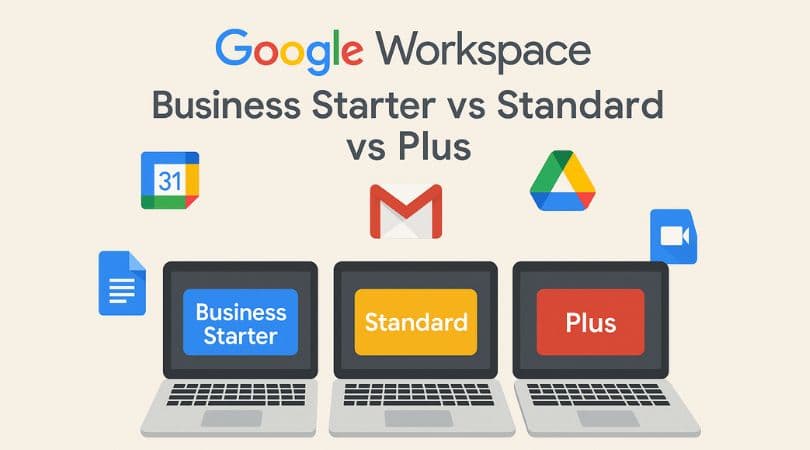
The Business Starter
The Business Standard
Business Plus
And the Enterprise
In this blog, we will elaborately discuss the three main plans offered by Google Workspace so that you can find the best match for your own business needs. Read ahead to find out more about Google Workspace plans:
The Business Starter plan:
This is the most basic plan among the three. However, that does not mean that customers are deprived of all the benefits. Customers can still leverage all of Google Workspace’s apps. To purchase this plan, users must pay just $6 per month.
All Google Workspace plans, including the Business Starter plan, offer customers two types of payment options, one is the monthly payment options, and the other is the annual subscription mode. Customers can avail themselves of any one of the two payment options. Moreover, if they are choosing the monthly payment plan, they can select cancellation any time any want without any cancellation fee. Who is it for? Small businesses owning only a few numbers of employees benefit greatly from the Business Starter plan, for example:
Etsy shops Small content-creating businesses. Online social media business. If your business does not demand huge storage spaces, then you can opt for the Business Starter pack and get all your employees in one place.
The Business Standard plan:
With the Business Standard plan, you get everything that is available in the Business Starter plan, plus some advanced features. The monthly package starts at a price of $12 per user. In this plan, you can get an enhanced storage space of 2 TB per user. The Business Standard plan leveled up from the Starter plan with advanced features such as cloud searching capabilities. This plan is the most preferred one and is widely purchased by business owners.Who is it for? Google Workspace’s Standard plan is good enough to serve businesses of all sizes. In contrast to the Business Starter pack, Business Standard allows users the added feature to search the cloud. With this facility, users can now see or use the company’s important data, such as documents, meetings that were conducted and recorded in the past, or other types of data. All its features, including cloud searching, will be available for desktop or mobile users as well. With its extended storage space of 2 TB, now medium to big businesses can get the huge storage spaces that their work demands at an affordable price.
The Business Plus:
The business Plus plan comes at a whooping price of $18 per month per user. It is the most expensive package that serves the most all rounded experience of Google Workspace. The Business Plan offers double the storage that was provided by the Business Starter plan. The plan also allows access to the Google Vault.
Who is it for? The Business Plus plan is the best package for large companies and big enterprises with around 300 employees. If your business comprises a load of employees and you wish to manage the workflow in a precise and organized order, then look no further. With the Business Plus plan, large business entrepreneurs will have all their enterprise-level business needs matched. Moreover, one extra benefit of signing up for the Business Plus plan is that users get additional access to Google Vault. With Google Vault, users can store or use files, slideshows, sheets, etc. Also, it serves as a good backup in case of emergency, whenever something gets lost or deleted. It also offers comparatively the largest storage spaces, up to 5 TB.
Here is a comparison table illustrating the offerings of each plan.
| Business Starter | Business Standard | Business Plus | |
|---|---|---|---|
| 1. Usage and support | |||
| Per user, per month | $7 | $14 | $22 |
| Free or discounted storage | 30 GB | 2 TB | 5 TB |
| Product support | ✓ | ✓ | ✓ |
| 2. Services | |||
| Chat and email support | ✓ | ✓ | ✓ |
| Drive storage and file sharing | ✓ | ✓ | ✓ |
| Video conferencing | ✓ | ✓ | ✓ |
| Security management | ✓ | ✓ | ✓ |
| Vault | ✓ | ✓ | ✓ |
| Tasks | ✓ | ✓ | ✓ |
| Shared calendars | ✓ | ✓ | ✓ |
| Groups | ✓ | ✓ | ✓ |
| Google Groups for Business | ✓ | ✓ | ✓ |
| AppSheet Core | ✓ | ✓ | ✓ |
| Gemini for Google Workspace | — | ✓ | ✓ |
| Google Meet advanced features | — | ✓ | ✓ |
| Google Meet recording and noise cancellation | — | ✓ | ✓ |
| 3. Migration | |||
| Migration tools | ✓ | ✓ | ✓ |
| Migration assistance | — | ✓ | ✓ |
| 4. Reports and audit logs | |||
| Usage reports and user activity | ✓ | ✓ | ✓ |
| Audit logs for user and administrator activity | — | ✓ | ✓ |
| Alert center / security alerts | — | ✓ | ✓ |
| Google Workspace security center | — | — | ✓ |
| 5. Security and data protection | |||
| Advanced security controls | ✓ | ✓ | ✓ |
Conclusion: Which is the most suitable option?
By comparing all three plans, the Business Standard plan has been picked as the most commonly preferred one, known to serve more or less all business needs. Business owners or entrepreneurs enjoy 2 TB of storage space with this plan. It is a fair deal at a reasonable price. It also allows users to search clouds. Although it does not offer access to Google Vault, unlike the Business Plus plan, it’s a huge step up from the basic Business Starter plan. The unavailability of Google Vault is a minor setback for businesses, but you can compensate for the loss if you have some other places to store your important documents.